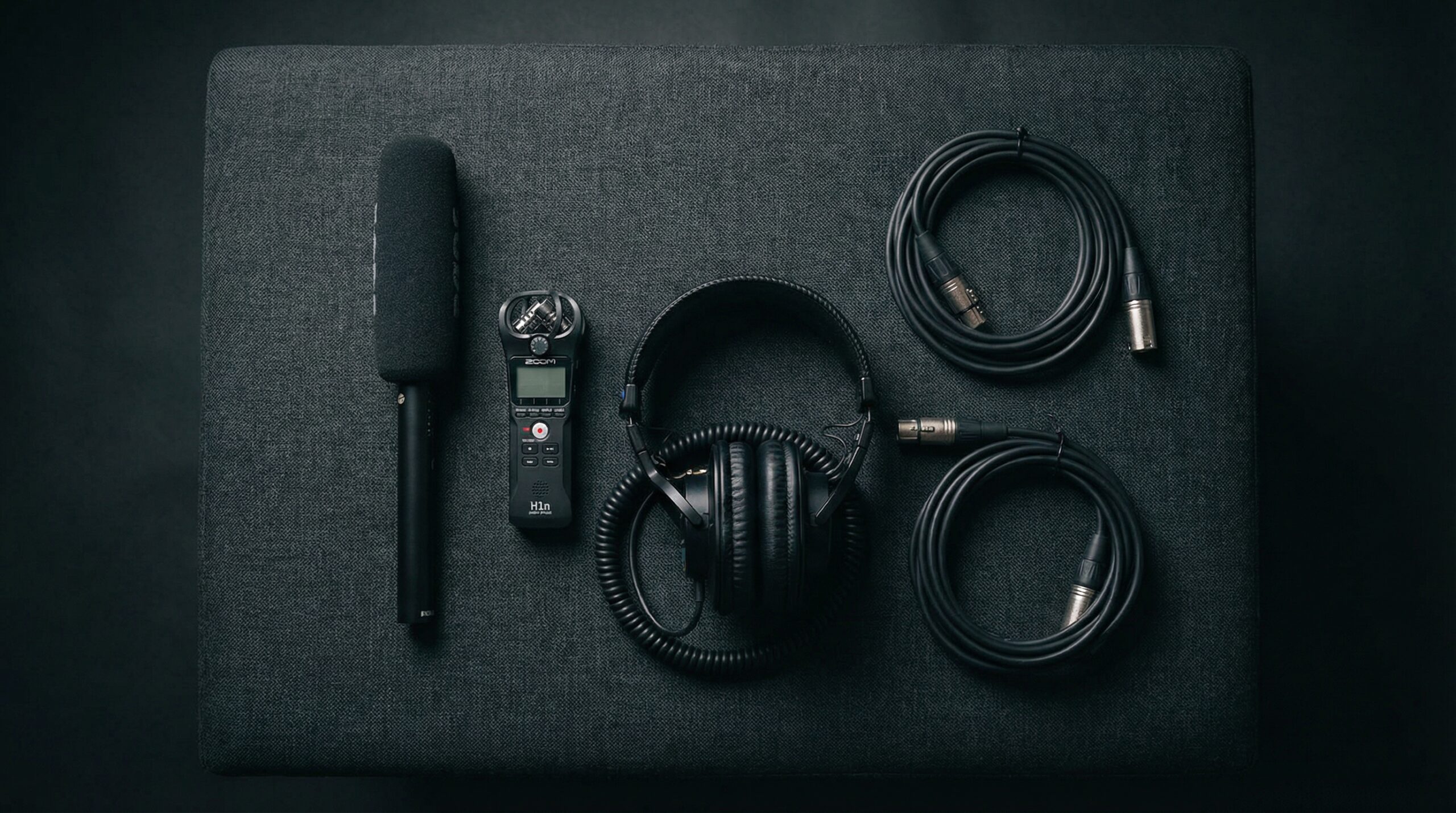

For three years, my audio workflow was embarrassingly lazy. Slap a wireless lav on the talent, run a Rode VideoMic on-camera as backup, and pray that the room didn’t have an air conditioning unit the size of a jetliner. Most of the time, it worked. But “most of the time” isn’t good enough when a client is paying you real money for professional results.
The Zoom F3 changed how I think about audio. Not because it records at higher quality (though it does), but because its 32-bit float recording eliminates the single biggest source of audio problems in run-and-gun filmmaking: gain staging.
What Is 32-Bit Float (And Why Should You Care)?
Traditional recording requires you to set your gain levels before recording. Set them too low, and you get hissy, noisy audio. Set them too high, and loud sounds clip — creating that horrible digital distortion that cannot be fixed in post. The “safe” approach is to record a few dB below peak… but that means you’re always compromising.
32-bit float recording eliminates this entirely. The Zoom F3 captures an enormous dynamic range — over 140dB — with no clipping possible. A whisper and a shout in the same take? Both captured perfectly. You adjust the volume in post, after the fact, with zero quality loss.
Curtis Judd, who is essentially the patron saint of filmmaking audio on YouTube, explained why this matters practically:
“32-bit float doesn’t make your microphone sound better. What it does is remove the anxiety. You stop worrying about levels and start focusing on performance, positioning, and getting the scene right. That mental bandwidth is worth the price of the recorder alone.”
— Curtis Judd, Audio Specialist & YouTuber
Build Quality & Design
The F3 is tiny — barely larger than a deck of cards. It has two XLR/TRS combo inputs with locking connectors, runs on two AA batteries (about 8 hours of recording), and records to microSD cards. The build is mostly plastic but feels sturdy enough for field work. I’ve had mine in a bag with heavy camera gear for months without any damage.
The screen is a basic LCD — no touchscreen, no color display. This is a professional tool, not a gadget. You turn it on, hit record, and it works. I appreciate that simplicity enormously compared to devices with 67 menu layers.
My Recording Setup
Here’s how I typically deploy the F3:
Interview setup: Rode NTG5 shotgun mic on a boom pole → XLR into Channel 1. DJI Mic 3 lav on talent → 3.5mm-to-XLR adapter into Channel 2. Both channels record independently at 32-bit float. In post, I balance between the boom (better room sound) and lav (cleaner dialogue isolation) depending on the edit.
Documentary run-and-gun: Rode NTG5 mounted on camera, output to F3 via short XLR. F3 in a waist pouch or mounted to the SmallRig cage. This gives me 32-bit float protection without changing my shooting style at all.
Outdoor/wind situations: NTG5 + Rycote windshield on a boom. The Rycote kills wind noise almost entirely — it’s the difference between usable audio and a rustling mess.
F3 vs. Just Using Camera Audio
| Feature | Camera Audio (FX3) | Zoom F3 |
|---|---|---|
| Bit Depth | 24-bit | 32-bit float |
| Preamp Quality | Good | Excellent (lower noise floor) |
| Clipping Protection | None (set levels manually) | Impossible to clip |
| Input Type | 3.5mm mini-jack | XLR/TRS combo (locking) |
| Phantom Power | No | Yes (+24V/+48V) |
| Dual Channel | Yes | Yes (independently adjustable) |
| Sync Method | In-camera (automatic) | Requires sync in post |
The Sync Issue (And Why It’s Not a Big Deal)
The main downside of an external recorder is syncing audio with video in post. You need to clap (or use a timecode sync device) on every take, then align the waveforms in your NLE.
In practice, this takes about 5 seconds per clip in DaVinci Resolve — just select both the video and audio clip, right-click, “Auto Align Audio.” Done. It’s not the seamless experience of in-camera recording, but it’s a trivially small workflow cost for dramatically better audio quality.
Who Should Buy the Zoom F3
Buy it if: You shoot interviews, documentaries, or any project where audio quality matters. You use XLR microphones. You’ve ever clipped audio on an important take and felt your stomach drop.
Skip it if: You exclusively use wireless mic systems like the DJI Mic 3 or Rode Wireless PRO plugged directly into camera. These already have excellent built-in recording and the convenience of no-sync-needed is worth the slight quality tradeoff for run-and-gun work.
Final Thoughts
The Zoom F3 costs $350. That’s less than most camera lenses, less than a decent gimbal, and dramatically less than the cost of reshooting an interview because the audio was unusable. For any filmmaker who takes audio seriously, it’s an essential tool.
My audio has never been better. My anxiety about levels has never been lower. That combination alone was worth every penny.
Disclosure: This article contains affiliate links. As an Amazon Associate, Film Gear Review earns from qualifying purchases. Our editorial opinions are always our own.

As an Amazon Associate we earn from qualifying purchases.

Mehedi Rahman is a freelance multimedia producer and impact filmmaker with 12+ years of experience. He has shot documentary and humanitarian work across Yemen, Bangladesh, and South Asia for the World Food Programme and international media. Based in Sri Lanka, he specialises in visual storytelling that moves people — and gear that makes it possible.
2 responses to “Zoom F3 Review: The Field Recorder That Changed How I Think About Audio”
32-bit float feels like cheating. I ran an F3 on a documentary shoot last month and the peace of mind is easily worth the minimal extra sync time.
Definitely picking one of these up. The preamps on mirrorless cameras just don’t cut it when you’re trying to isolate dialogue in a noisy room.